 Learning from Public
Building Your Second Brain using Claude Code and Obsidian - Part 1
06 May 2026 · 12 min readThe bottleneck in my learning was never finding good content - it was the grunt work after reading it - summarizing, connecting ideas across articles, filing things where I’d actually find them again. I read technical blogs constantly, but I just… didn’t do any of that. For years, knowledge entered, sparked something, and faded - scattered across browser tabs and half-started notes I’d never reopen.
Then I came across Andrej Karpathy’s tweet and something clicked. What if the LLM didn’t just answer questions about my documents - what if it transformed them into structured knowledge? A persistent wiki where concepts are linked, connections are surfaced, and rationale is made explicit. From there, I could drill down into the relationships between ideas, and bring my own lens to deep-dive into the topics that matter to me.
The idea is awesome; however, Andrej didn’t share ‘step-by-step’ guidance. Others have reproduced his method in different forms — using the llm-wiki gist as a system prompt, creating reusable skills, even building apps. I wasn’t happy with the results, so I decided to build my own approach using Claude Code and Obsidian.
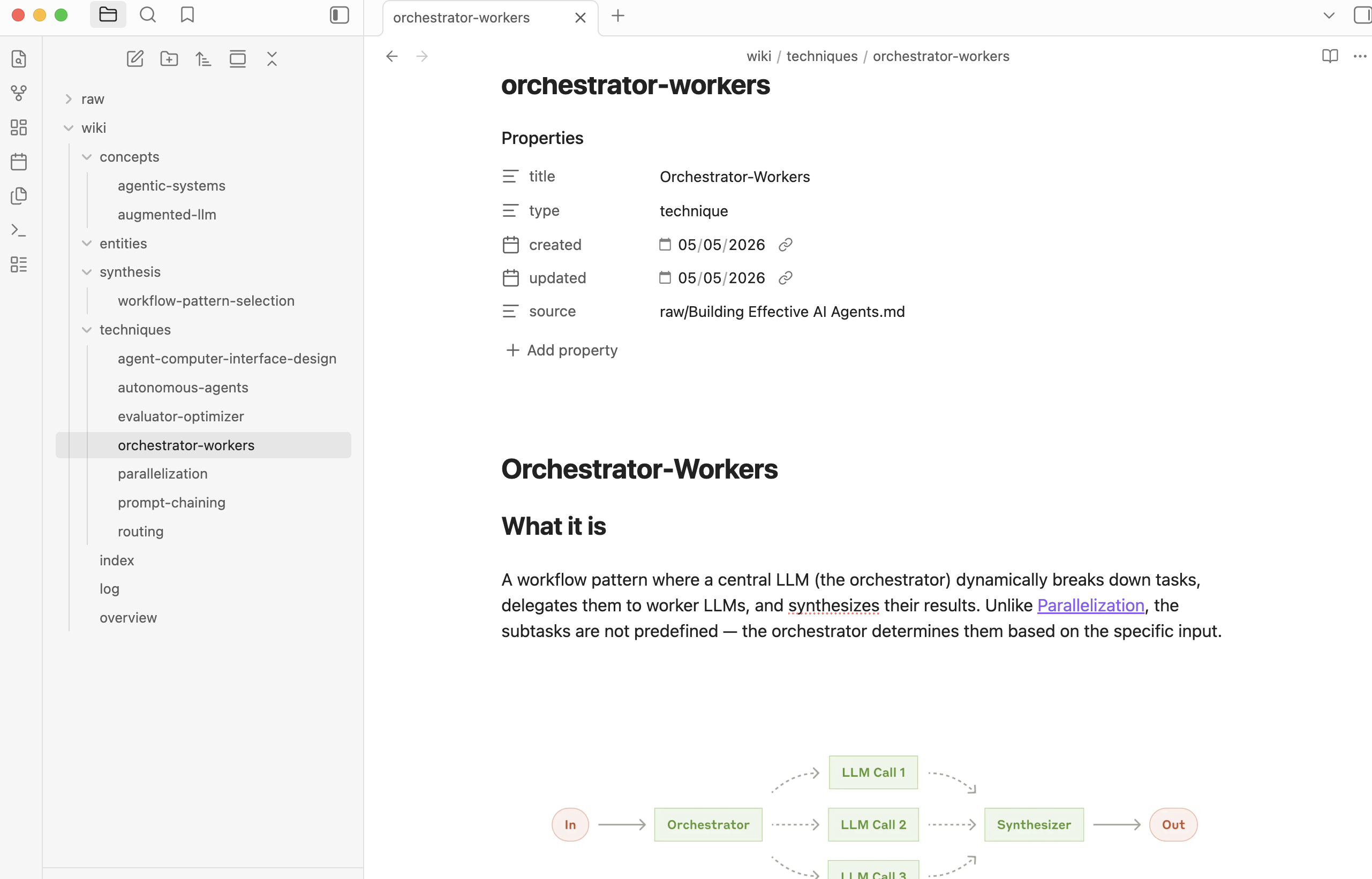
Here’s a sneak peek before we dive in. Say you’re reading Anthropic’s engineering blog - Building effective agents, what if you could transform it into a wiki and navigate the key parts using Obsidian:
Andrej’s llm-wiki
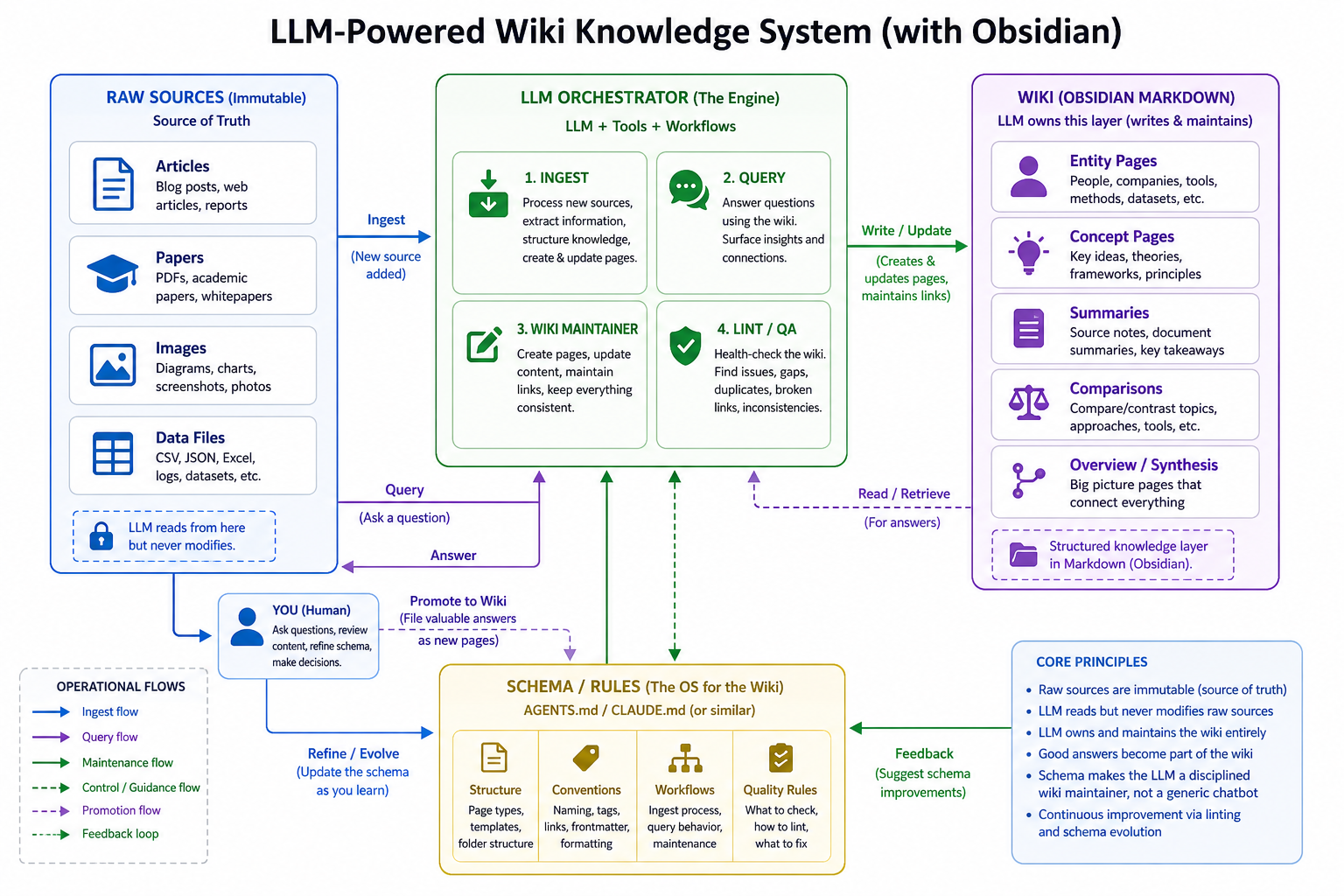
The purpose of llm-wiki is to build personal wiki knowledge bases for topics you care about. It has three flows: ingest (transform documents into structured wiki pages), query (ask questions with citations), and maintenance (keep the wiki healthy over time). This post covers ingest, Obsidian and Obsidian Web Clipper setup. The rest will be covered in Part 2.
Here’s a reference architecture:
How It Works
The whole process standardizes the wiki generation, from flat documents to structured knowledge. I built a plugin so you can do this repeatably.
Here’s what the pipeline looks like conceptually:
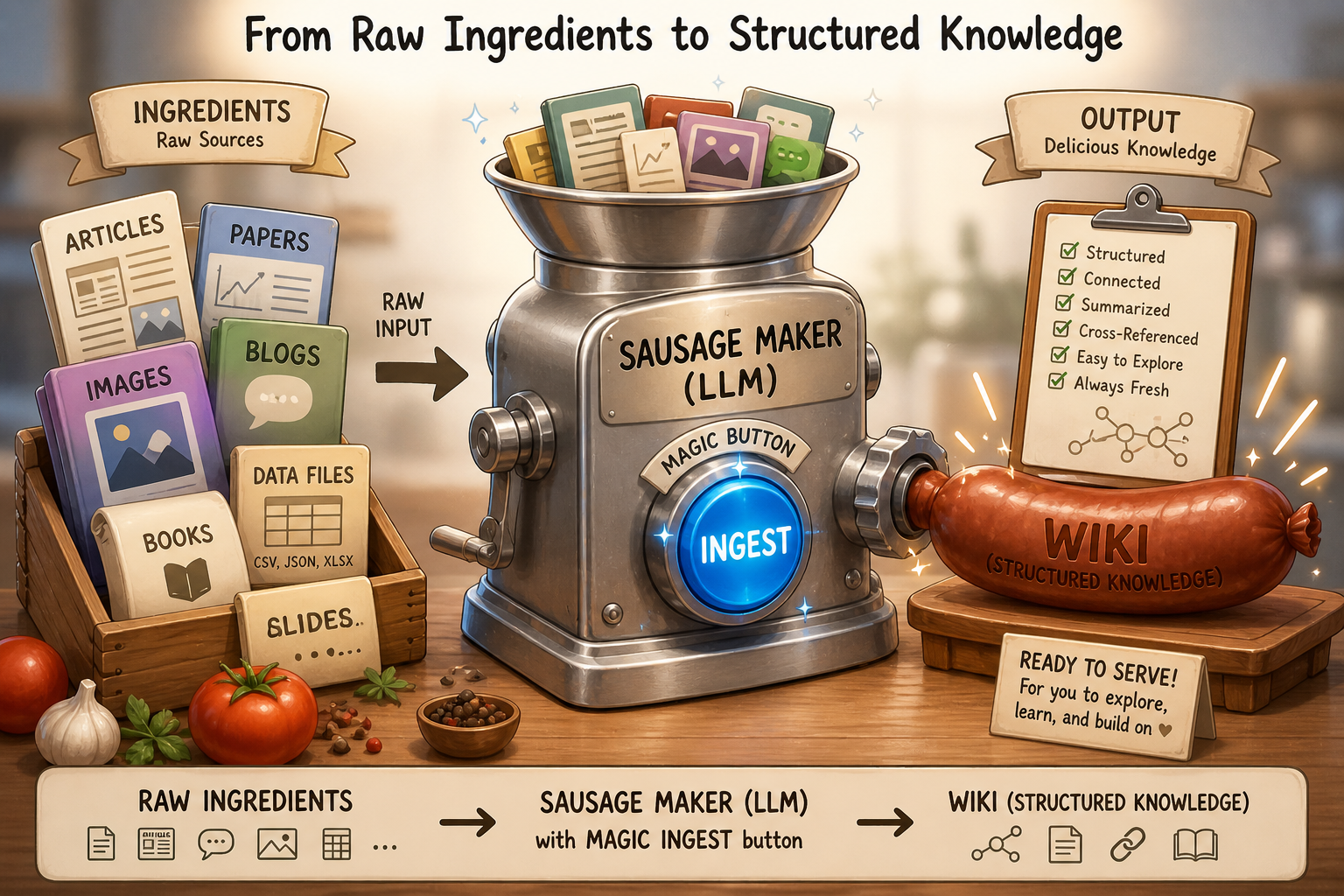
To build the ingest process, the handy way is to use an AI coding agent (Claude Code, Kiro, Codex, etc.) with Andrej’s recipe.
Luckily, Andrej shared his recipe - llm-wiki gist. The simplest approach: paste the gist into Claude Code and point it at your source document. This works, but doesn’t guarantee consistent quality and ties you to a single session. To make it repeatable, I built a plugin - llm-wiki plugin - that encodes the pipeline as reusable skills I can refine over time.
Try It
The llm-wiki plugin is ready to use. Here’s the process step by step:
- #Initial working folder setup
- #Porting web page(s) to Obsidian
- #Transforming flat documents to wiki
- #Navigate wiki with Obsidian
Prerequisites: Obsidian installed, Obsidian Web Clipper extension installed on browser (e.g. Chrome), Claude Code installed (with subscription or using API), terminal familiarity.
Initial working folder setup
Open a terminal and create the working folder:
mkdir -p test/raw/assets
This gives you the folder structure:
test/
  ├── raw/                 # Source documents (articles, assets)
  │   └── assets/          # Images referenced by source docs
Next, download a blog (e.g. Building effective agents) into the raw folder, and save related images into ‘raw/assets’. The next section shows how to do this with Obsidian Web Clipper.
For reference, here’s what the folder looks like after ingestion is complete:
test/
  ├── .claude/              # Claude Code configuration
  │   ├── settings.json
  │   └── skills/active-learning/
  ├── .llm-wiki/            # Wiki system config
  │   └── lenses/
  ├── .obsidian/            # Obsidian vault settings
  ├── wiki/                 # Structured knowledge base
  │   ├── index.md
  │   ├── overview.md
  │   ├── log.md
  │   ├── concepts/        # Core concepts (augmented LLM, agentic systems, etc.)
  │   ├── techniques/      # Implementation patterns (routing, parallelization, etc.)
  │   ├── synthesis/       # Cross-cutting analyses
  │   └── entities/
  ├── raw/                 # Source documents (articles, assets)
  │   ├── Building Effective AI Agents.md
  │   └── assets/          # Images referenced by source docs
Porting web page(s) to Obsidian
Follow the steps to configure Obsidian & Web Clipper extension:
-
On Obsidian, create an Obsidian vault with ‘Open folder as vault’ and select the ‘test’ folder
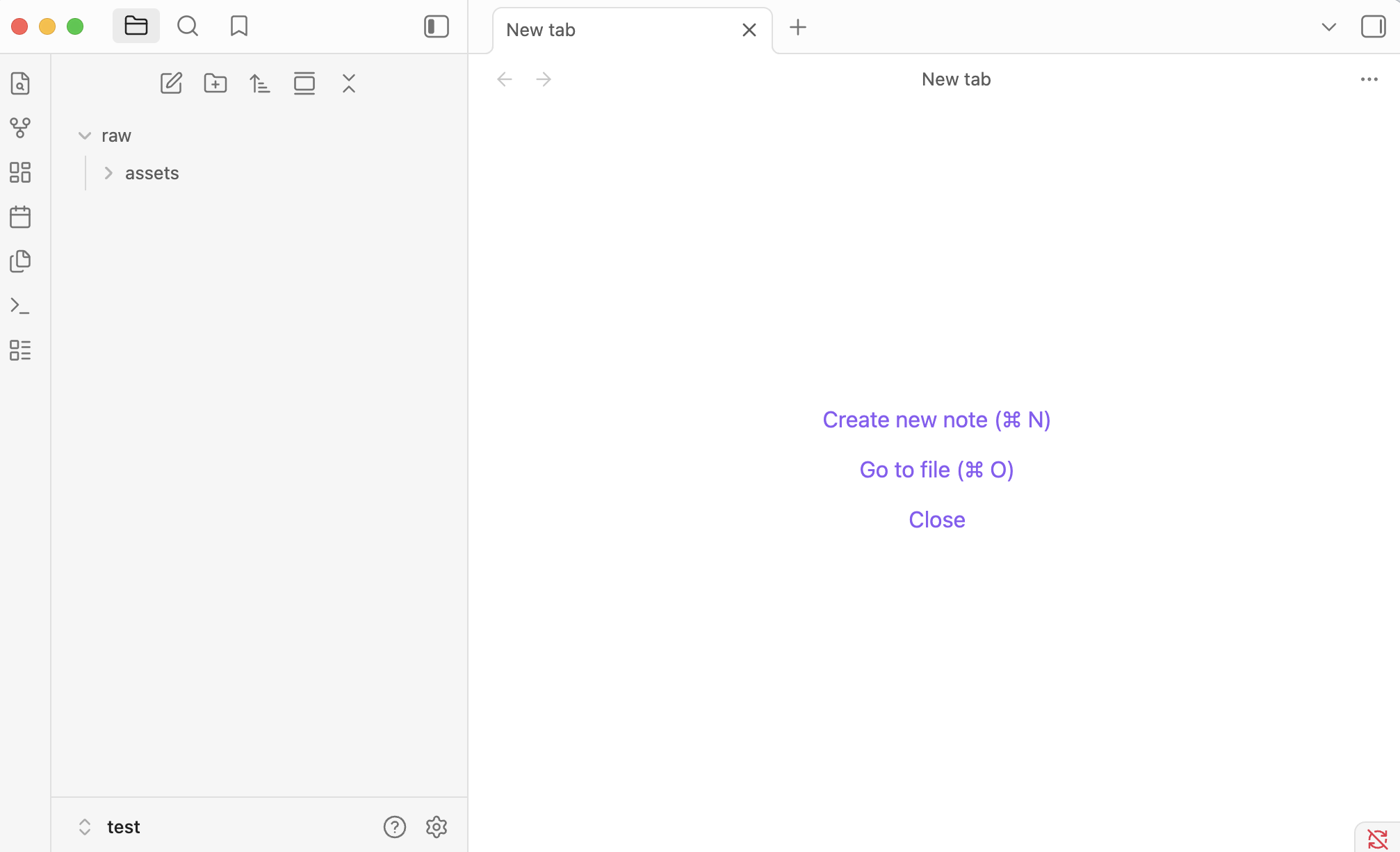
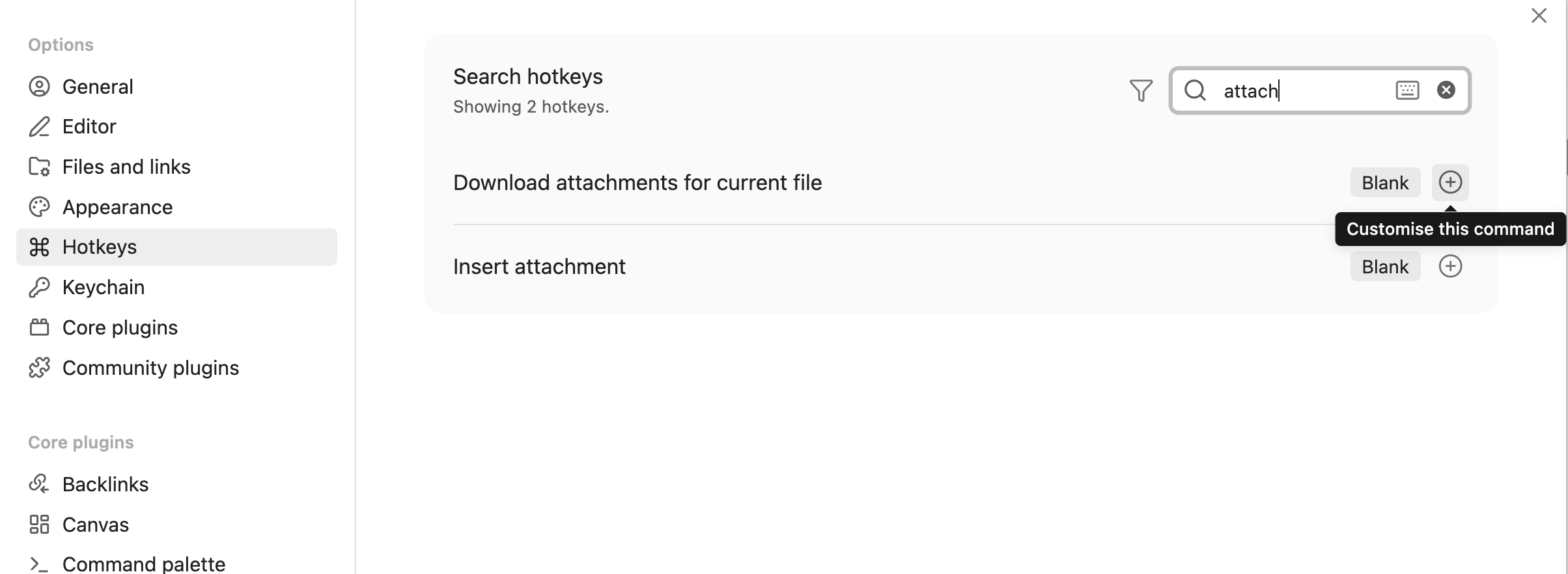
- On Obsidian, configure a hotkey to download attachments. When you clip a note, this lets you download its images as local attachments for the wiki.
- Select ‘Setting’ (On macOS, it’s under top-left ‘Obsidian’ menu)
- Select ‘Hotkeys’ menu, and input ‘attachment’ in the filter at the panel
- Click the ‘+’ button at the item ‘Download attachments for the current file’, then press ‘Cmd’ + ‘Shift’ + ‘D’ (or your preference.)
- On Obsidian Web Clipper extension setting, configure vault settings for note import.
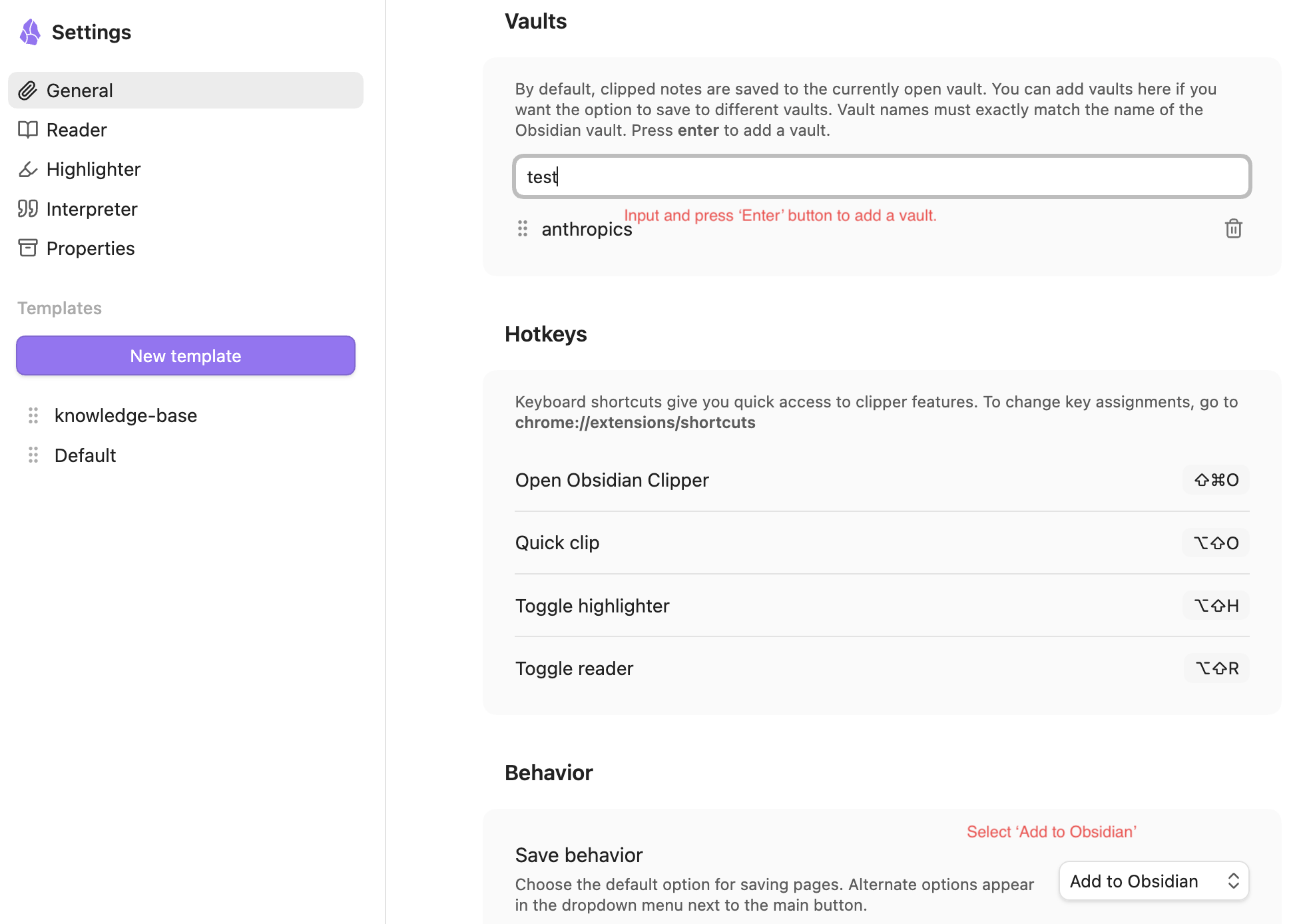
- Under ‘General’, add the newly created vault ‘test’ (when creating vault on folder, by default the name will be the folder name.) into ‘Vaults’ section, and select ‘Add to Obsidian’ in ‘Save behavior’
-
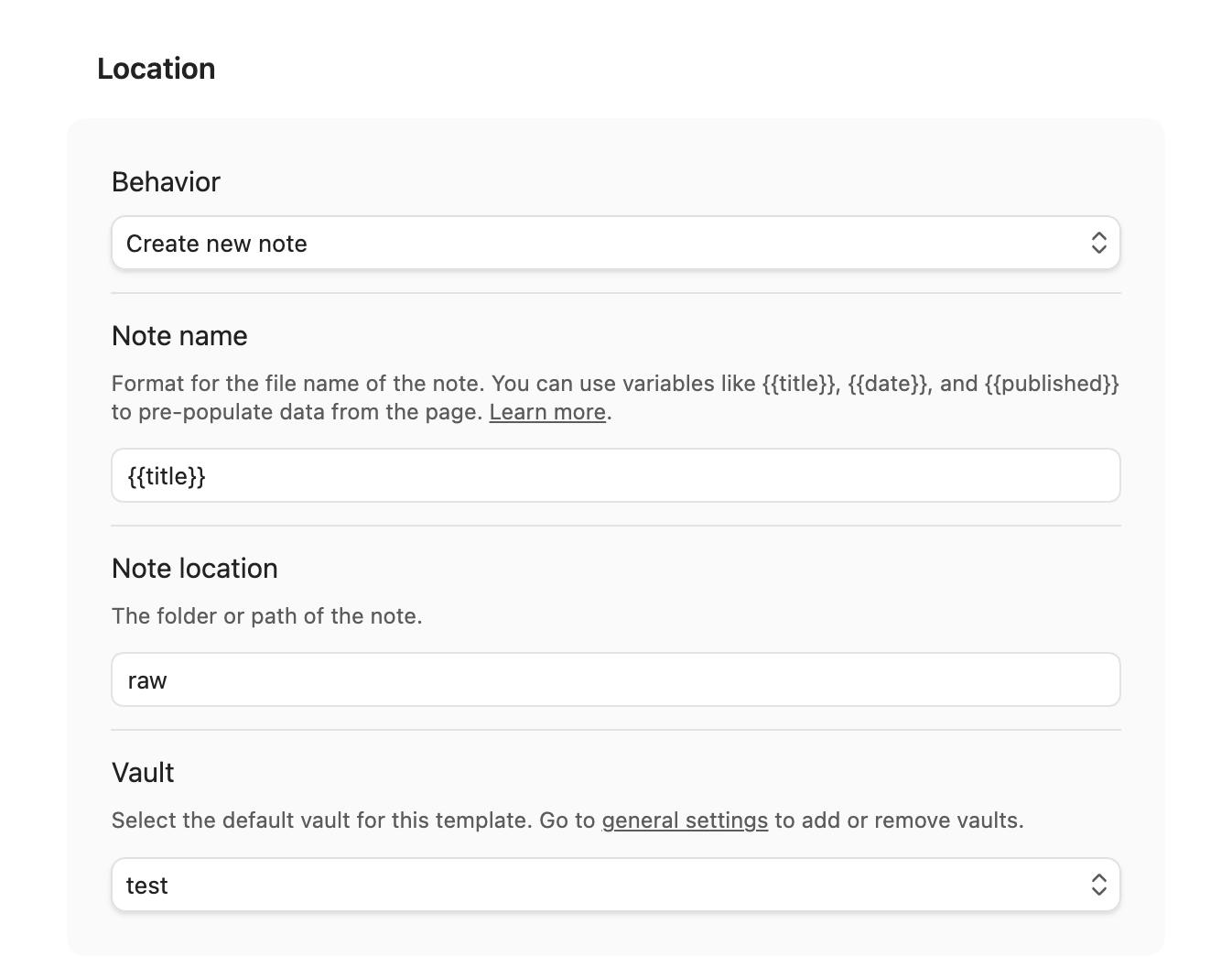
- Configure the vault:
- Input ‘raw’ for the ‘Note location’ - match to the raw folder under your vault
- Select ‘test’ from ‘Vault’
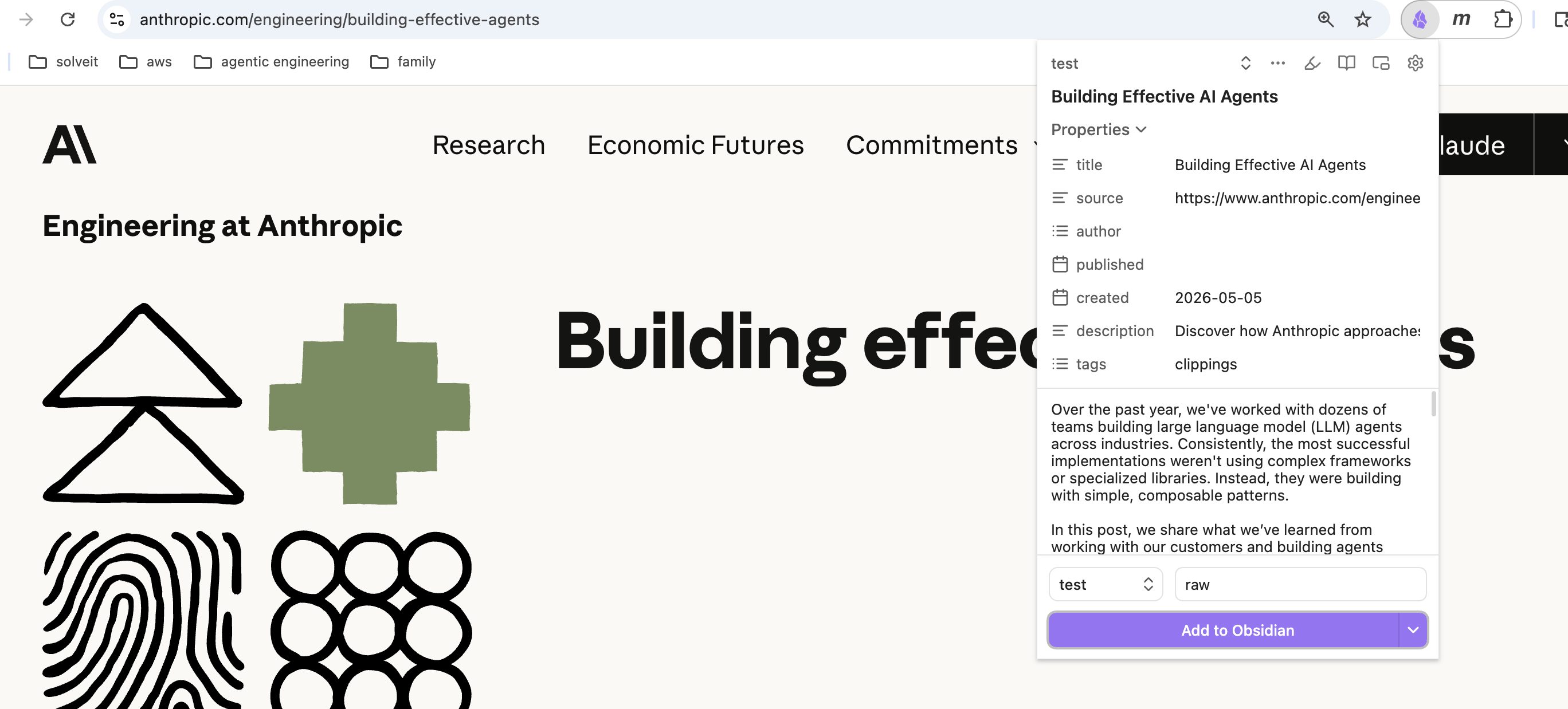
- Open your target web page, e.g. Building effective agents on Chrome, then click ‘Obsidian Web Clipper ‘, or press ‘Cmd’ + ‘Shift’ + ‘O’
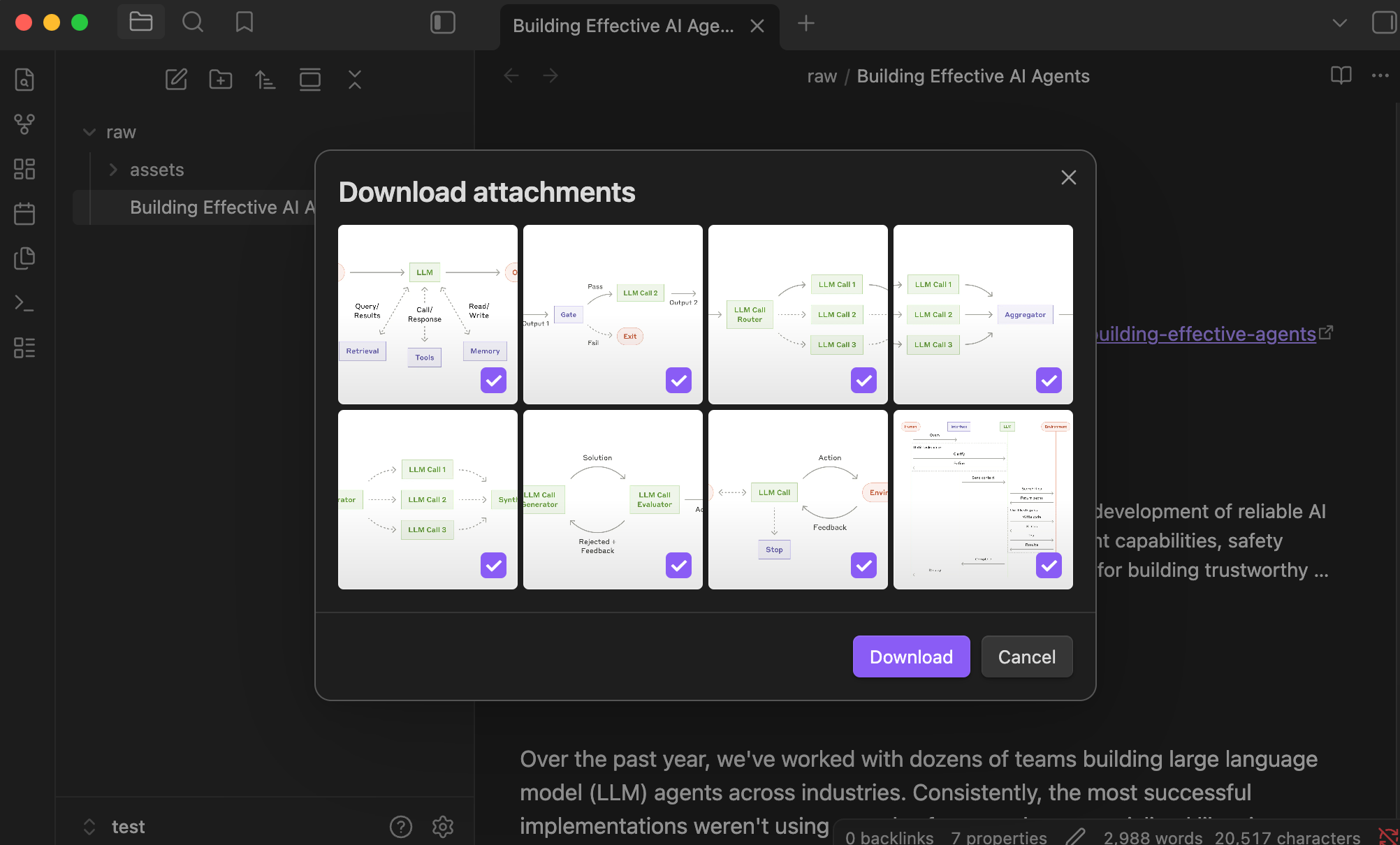
- Press the ‘Add to Obsidian’ button, Obsidian fires up automatically and you can view the document. At the moment, the images in the note are backed by URLs. To download the images, use the hotkey for ‘Download Attachments for the current file’ - pressing ‘Cmd’ + ‘Shift’ + ‘D’ (per your setup before). Once you confirm and click the ‘Download’ button, all the images will be saved under ‘assets’ folder
Transforming flat documents to wiki
Now that we have the ingredients - “Building Effective AI Agent” note and images under the ‘raw’ folder, we are ready to kick off the pipeline. Open a terminal in the ‘test’ folder and run claude, and install my llm-wiki plugin to ingest documents.
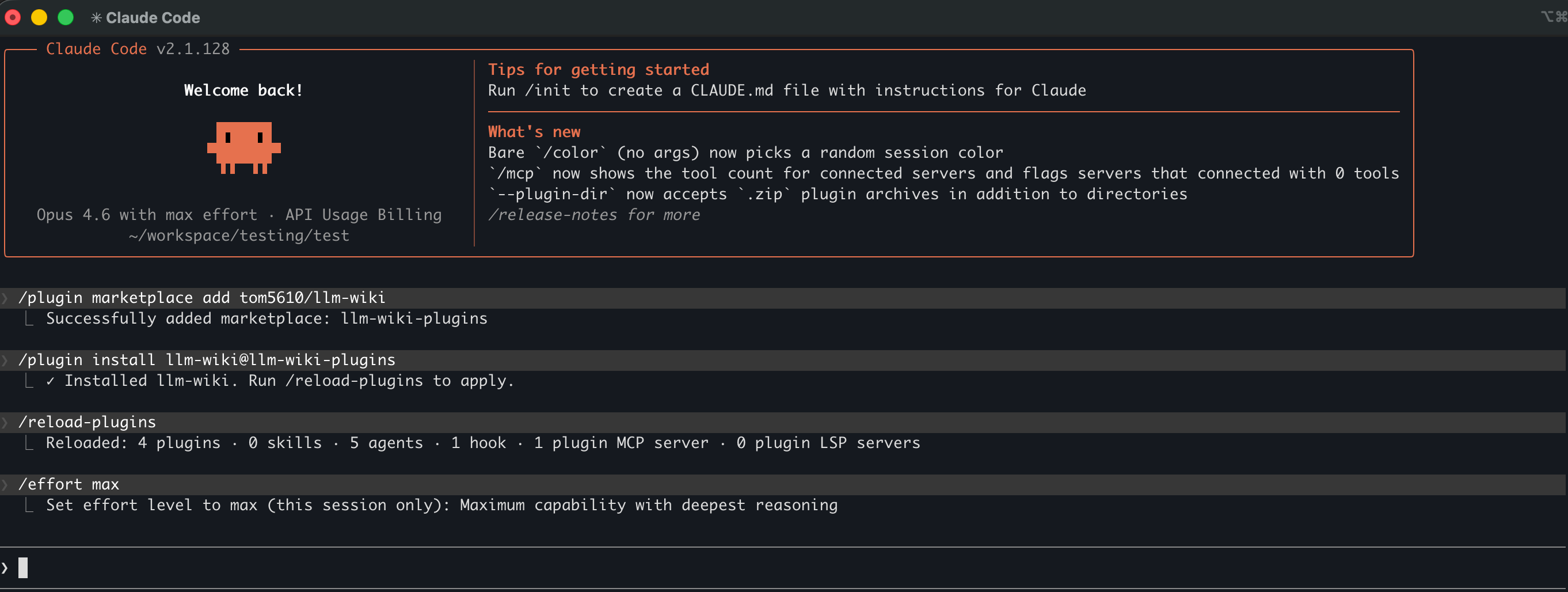
To set up the environment, run these commands on Claude Code, or refer to the screen dump.
# register the plugin
/plugin marketplace add tom5610/llm-wiki

# install the plugin
/plugin install llm-wiki@llm-wiki-plugins

# reload the plugin so that the skills could be loaded
/reload-plugins

# [optional] use 'max' effort
/effort max

# about model, highly recommend 'Opus' / 'Sonnet'
# /model
Reference Claude Code terminal
Once the llm-wiki skill(s) are ready, use the ingest skill to transform the document to wiki.
Run this in Claude Code:
/ingest "raw/Building Effective AI Agents.md"
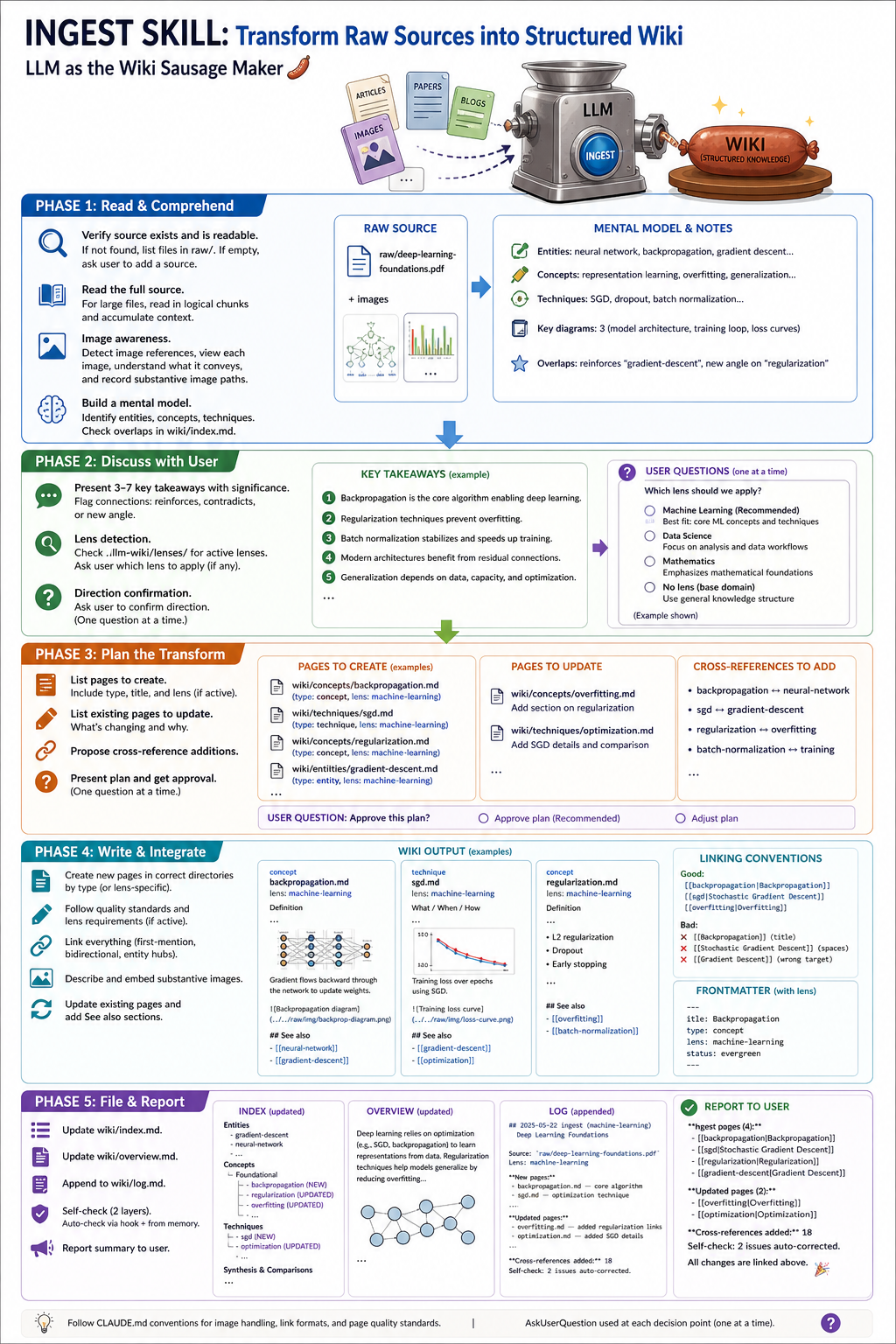
What happens during ingest:
- The
ingestskill standardizes the transformation pipeline. Claude Code will think and plan between steps. - When starting from scratch, Claude Code will instruct to create the related folders under ‘wiki’, and ask for permission before doing so. For file editing, press ‘shift + tab’ to allow all.
- There are 5 steps in the process:
- Read & Comprehend
- Discuss with User (build wiki by lens?)
- Plan the Transform
- Write and Integrate
- File & Report
Reference process details:
Navigate wiki with Obsidian
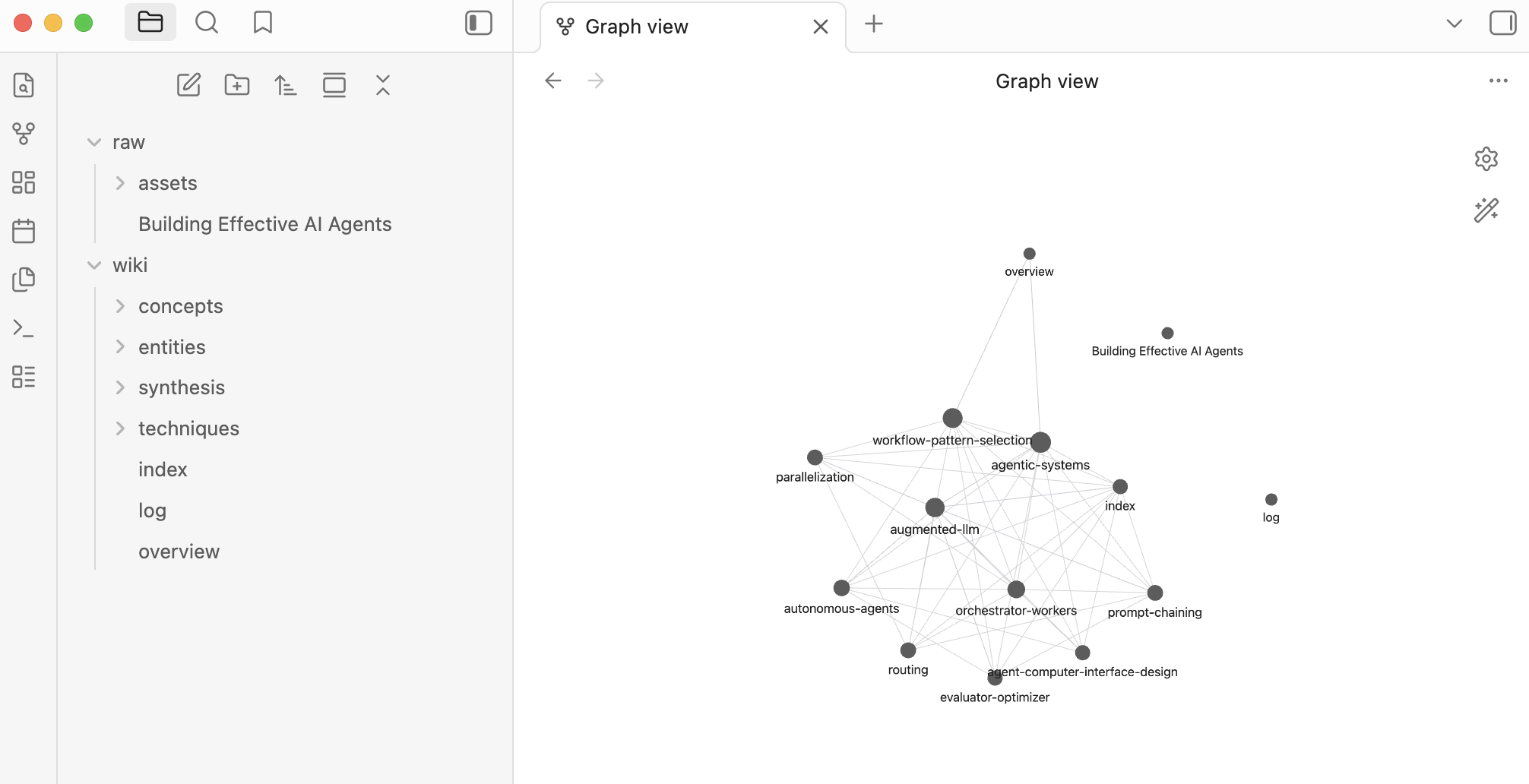
Once wiki creation is done, open the ‘test’ vault in Obsidian to navigate your knowledge base.
What does a generated wiki page look like? Here’s a sample concept page generated from the “Building Effective Agents” article. Notice how the LLM extracts a focused concept, adds cross-references via wiki-links, and cites the source:
And here’s the full graph view - each node is a concept page, each edge a wiki-link:
What’s Next
You now have a working pipeline: clip an article, run /ingest, and browse structured knowledge in Obsidian. One article in, a connected wiki out - in about 4-8 minutes.
A few things to try from here:
- Ingest 2-3 more articles on a related topic and watch the cross-references multiply
- Open Obsidian’s graph view and look for unexpected connections between concepts
- Ask questions against your wiki using the query skill (covered in Part 2)
Part 2 will cover:
- Query flow - asking questions against your wiki with citations
- Feeding insights back - promoting good answers into new wiki pages
- Maintenance - keeping your wiki healthy as it grows (orphan detection, missing links, stale pages)
- Extract insights - extract knowledge / insights for your downstream tasks
The pipeline does the heavy lifting, but the learning still happens when you decide which connections matter, which concepts to dive deeper on, and what lens to bring. The tool builds the scaffolding - you build the understanding.
Reference Resources
- llm-wiki plugin - my curated llm-wiki skills
- llm-wiki gist - Andrej Karpathy’s llm-wiki recipe
- Building effective agents